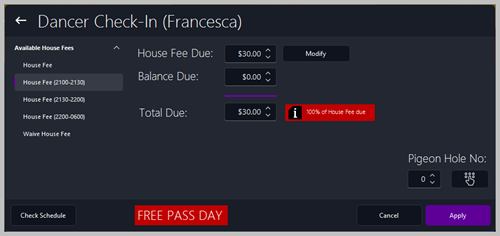
Checking In
🧭 OverviewThe Dancer Check‑In process records when a dancer arrives for their scheduled shift. It ensures house fees are collected, bag searches are logged, and free‑pass days are correctly applied.
Check‑ins can be performed from both the Back Office and the POS.
🏢 Back Office AccessYou can check a dancer in from:
🖥️ POS AccessYou can check a dancer in from:
⚙️ System OptionsLocated under:
Options > System > Signing in
🧾 Dancer Profile Notes
📋 Check‑In Screen Steps
|