X/Z Reads
|
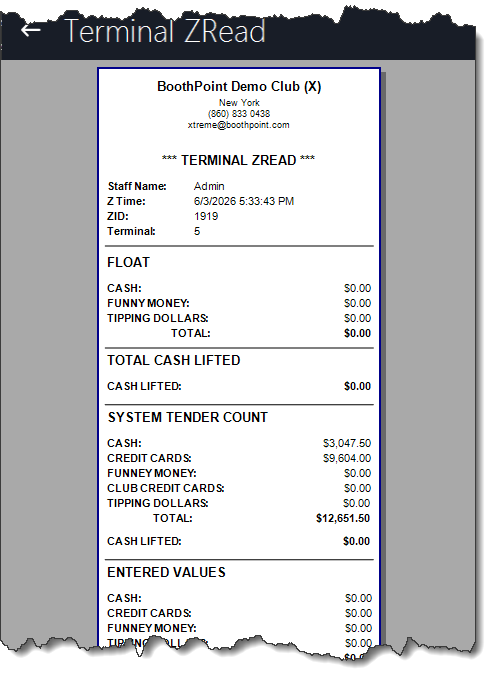
The Terminal X/Z Read screen provides a complete summary of all sales, payments, and reconciliations for the terminal. It is used to monitor performance during the session (X‑Read) and to close the terminal at the end of the day (Z‑Read).
💻 X‑Read (Mid‑Session Check)📋 OverviewThe X‑Read can be run at any time during the session to view a live breakdown of all transactions processed on the terminal. It shows totals for cash, credit cards, funny money, and other tender types. ⚙️ How to Run
🏁 Z‑Read (End‑of‑Day Reconciliation)📋 OverviewThe Z‑Read is used to close the terminal and complete end‑of‑day reconciliation. It provides a full summary of all departmental sales, floats, and tender differences. ⚙️ How to Run
📊 Summary Fields ExplainedStarting FloatDisplays the opening balance for the terminal, including:
System Tender CountShows totals recorded by BoothPoint:
Absolute Till ReadCompares counted totals against system records:
🖨️ Printing the Z‑Read
|