|
BoothPoint allows seamless payment processing for all club transactions — including dances, drinks, food, door entry, and memberships. Multiple items can be added to the checkout list and paid together in a single transaction.
|

|
Tip
|
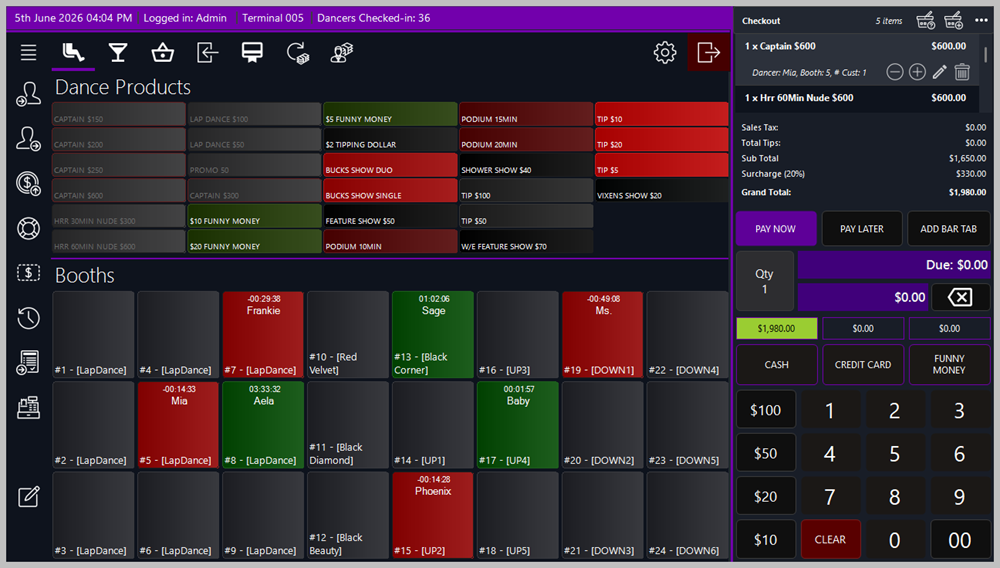
🧾 Adding Items to the Bill
📋 Steps
-
Add dance, drink, food, door entry, or membership items to the checkout list.
-
Adjust quantities using the + and – buttons beside each item.
-
To remove an item, select it and tap or click the bin icon.
💃 Pay Later Option

The Pay Later button is available only for dances. If a dance payment remains unpaid by the end of the shift, BoothPoint assumes the dancer has been paid, and therefore the dancer owes the club their commission portion. This ensures accurate tracking of dancer earnings and club revenue.
💰 Bill Breakdown
Each bill can include optional charges and taxes, depending on club configuration.
| Component |
Description |
| Mandatory Gratuity (optional) |
A percentage added on top of Food & Drink only. |
| Surcharge (optional) |
A percentage added on top of Food & Drink only. |
| Credit‑Card Charge (optional) |
A percentage added on top of Food & Drink only. |
| Taxable Subtotal |
Food & Drink + Gratuity + Surcharge + Credit Card Charge. |
| Sales Tax (custom) |
Applied to the taxable subtotal. |
| Subtotal After Tax |
The total after sales tax is applied. |
| Optional Tip |
A discretionary tip added by the customer. |
| Grand Total |
The final amount due, including all charges and taxes. |
🖨️ Receipt Printing at the End of a Transaction
After the payment is completed, BoothPoint automatically displays the Receipt Options screen.
📋 Available Receipt Actions
-
Print Receipt — Sends the customer receipt to the default receipt printer.
-
Print Itemized Receipt — Shows a detailed breakdown of all items, charges, and taxes.
-
Email Receipt (if enabled) — Sends a digital copy to the customer’s email address.
-
No Receipt — Closes the transaction without printing.
|
|
Note
If the club requires receipts for compliance or auditing, BoothPoint can be configured to force a receipt print for specific transaction types (e.g., High Roller, Credit Card, Memberships).
|
|
|
Tip
⚙️ Configuration
In Options → Club Settings, administrators can:
-
Enable or disable gratuity, surcharge, and credit‑card charge percentages.
-
Define tax rates and applicable product categories.
-
Set default payment methods and receipt printing preferences.
🧾 Reporting
All payments are automatically logged and appear in:
|
|